Your Cameras Are Recording. Nobody Is Watching.

We turn the CCTV you already own into an AI observer. It reads behaviour, guards zones and writes the report, on every camera, all day. Running today in cafés and diamond manufacturing units.
  • Existing Cameras
  • Your current CCTV feeds
  • On-Site AI Detection
  • AI Watches Every Frame
  • Alerts & Reports
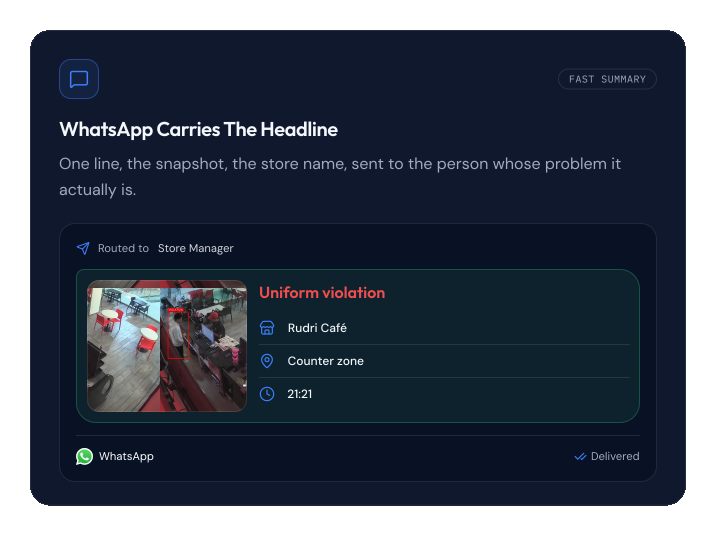
  • WhatsApp Carries The Headline
Svg IconSvg IconSvg IconSvg Icon
  • 19+
    • Event Types
  • 24×7
    • Always Watching
  • 100%
    • On-Premise Capable
  • 85+
    • AI Projects Delivered
THE BLIND SPOT IN EVERY CCTV ROOM
A camera records. It does not notice. Footage only helps after something goes wrong, and only if someone has hours to scrub through it. The small daily losses never surface at all.
  • What You Get Today
    • A recording to replay after the fact
    • Evidence, if you know where to look
    • Live tiles nobody watches
  • What You Never Hear
    • The shutter opened 40 minutes late
    • Someone is on the phone in the kitchen
    • A restricted zone was entered at 02:10
  • USE CASE 01
  • Café & Retail
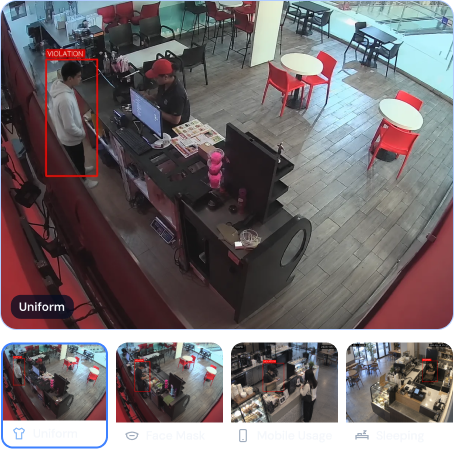
  • Uniform and mask compliance, mobile usage, sleeping, intrusion, face-based staff entry, opening and closing checks.
  • USE CASE 02
  • Diamond Manufacturing
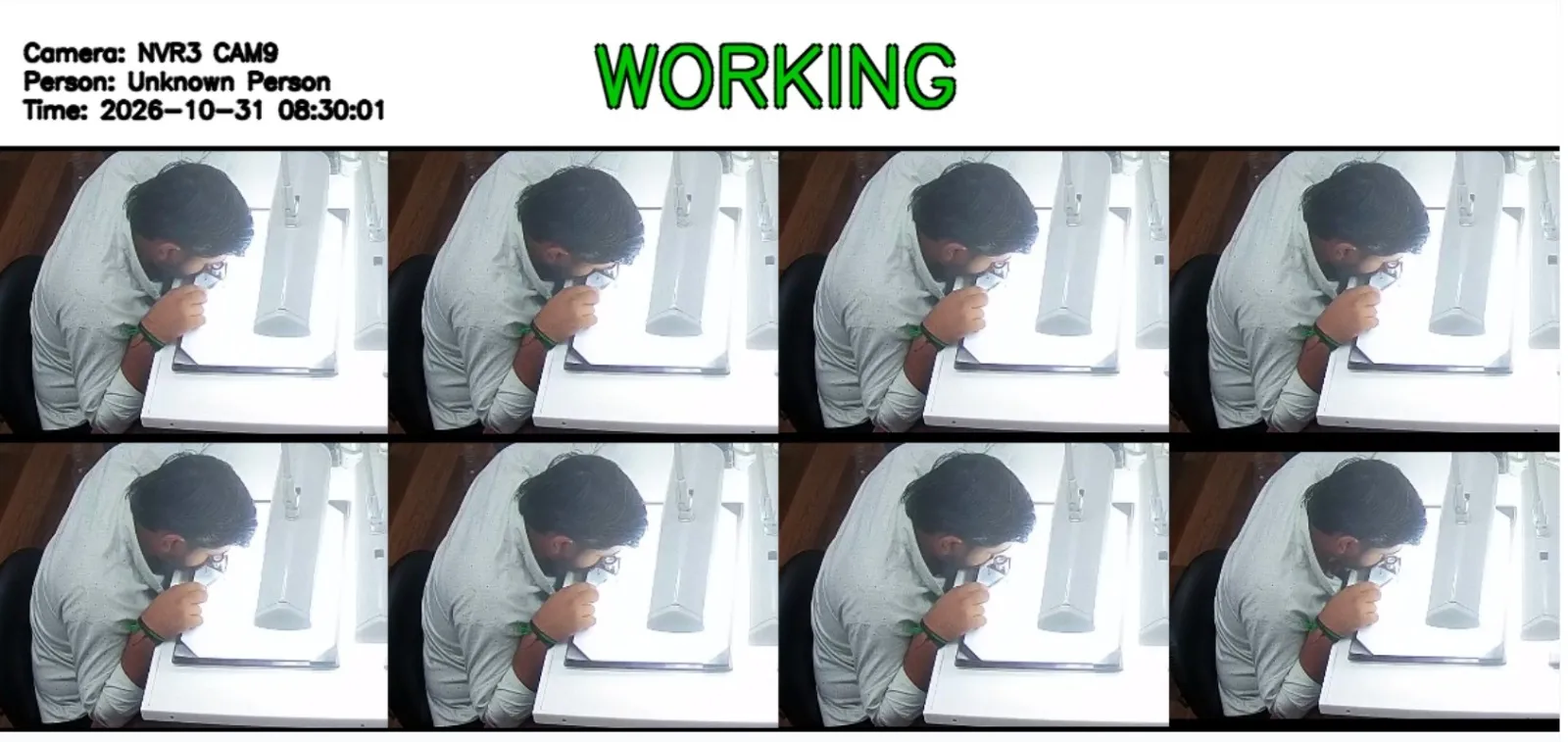
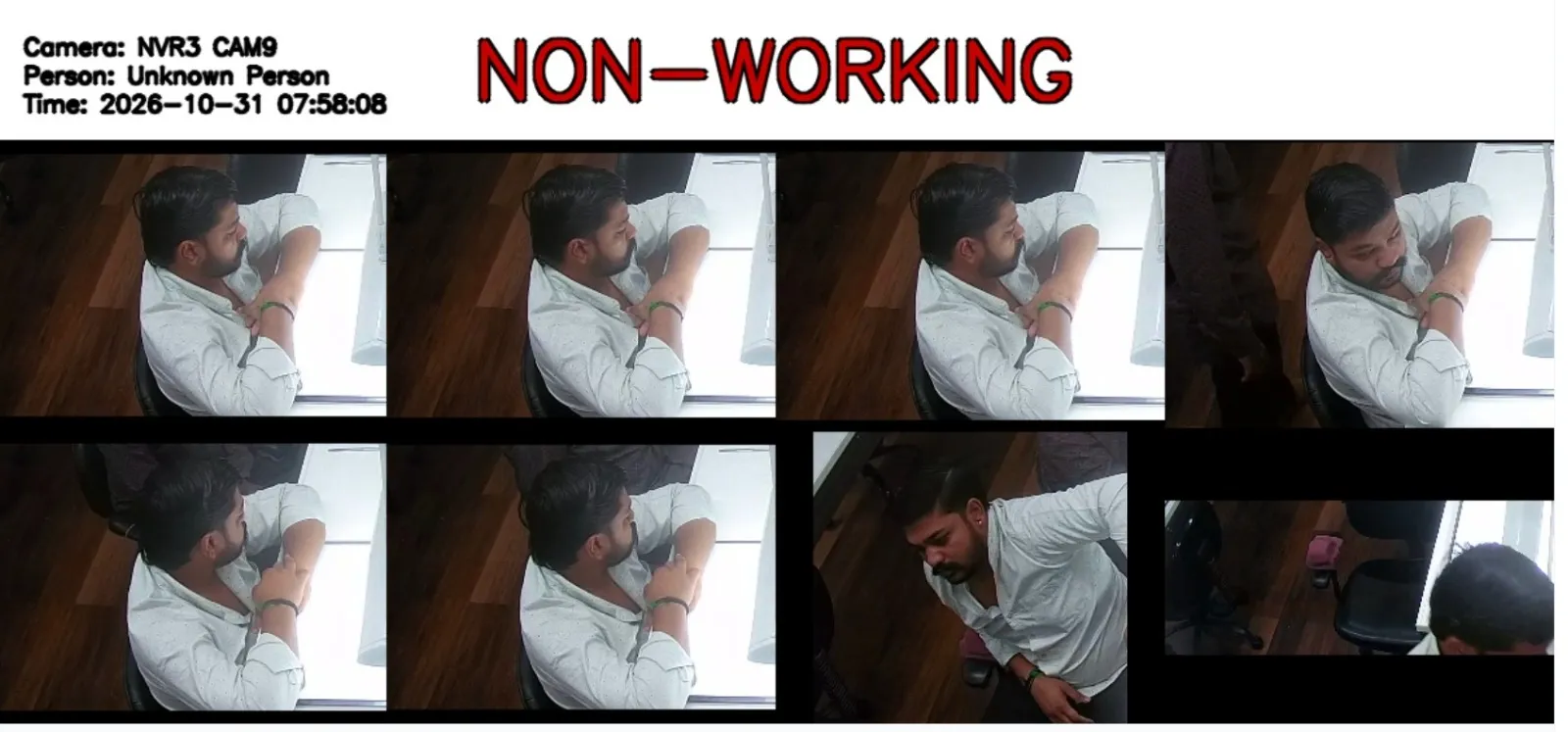
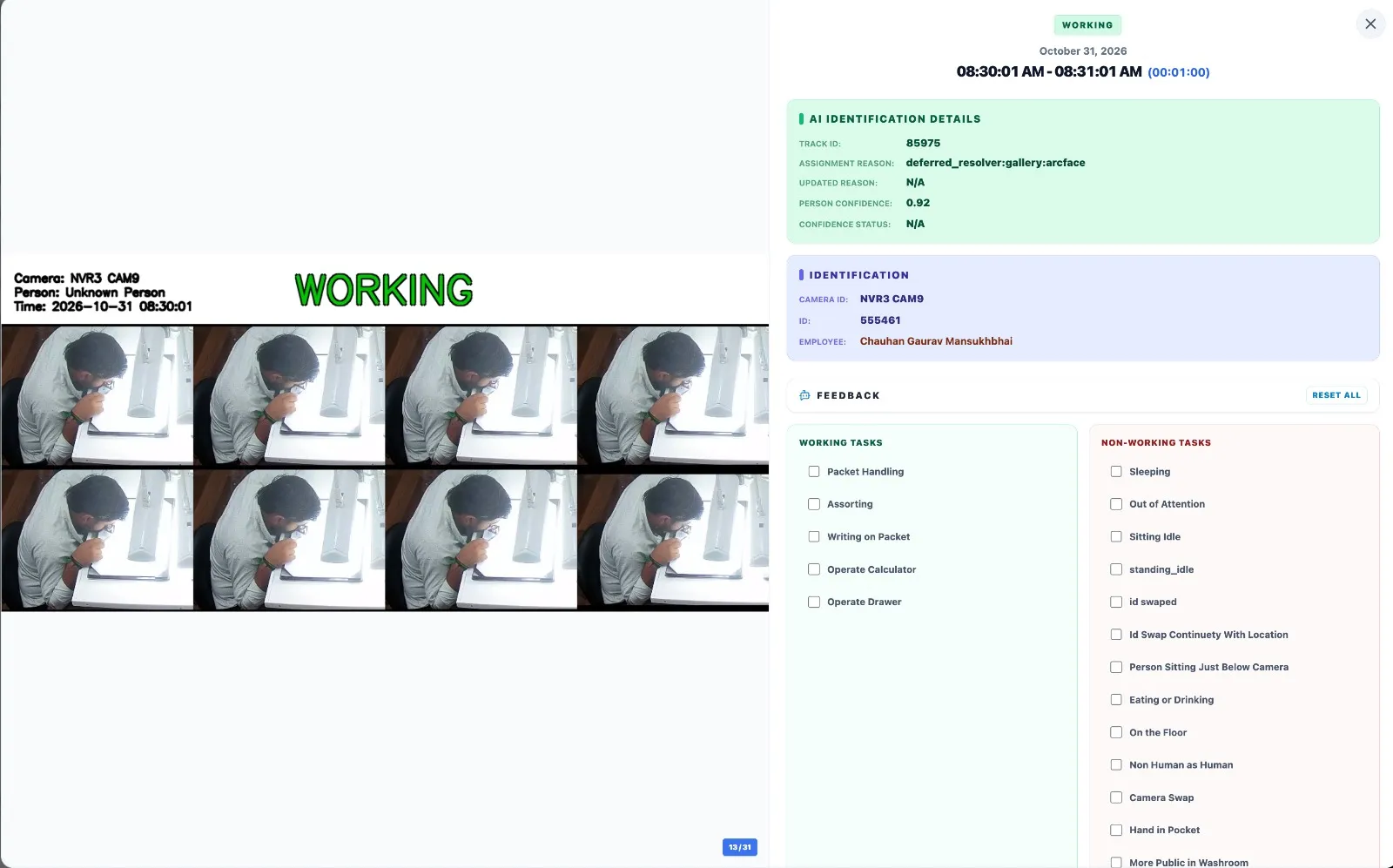
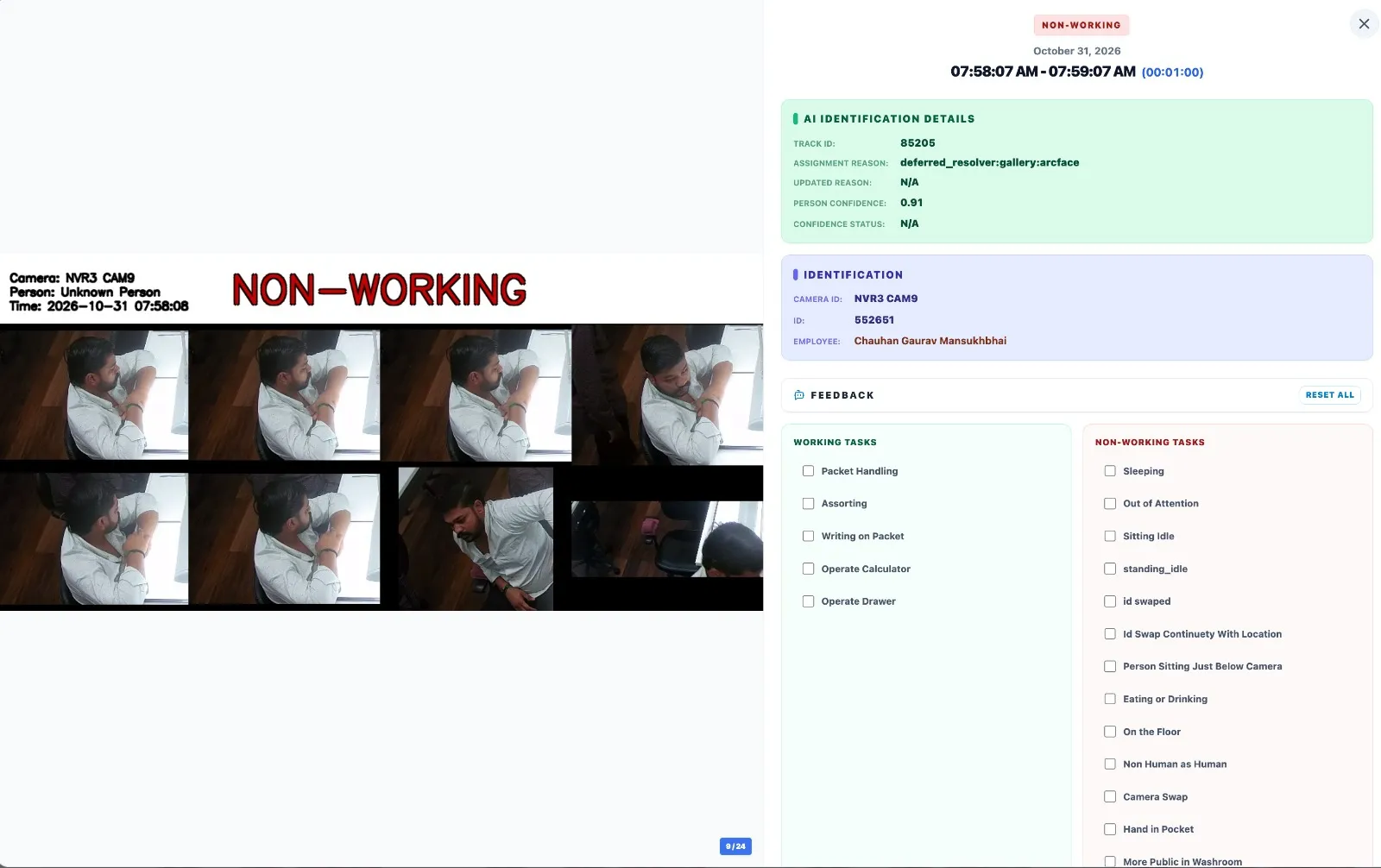
  • Every person tracked across their department, with the day resolved into Working, Non-Working and Away.
THE PLATFORM

How It Works: Simple As 1-2-3

  • 1
  • Step 1

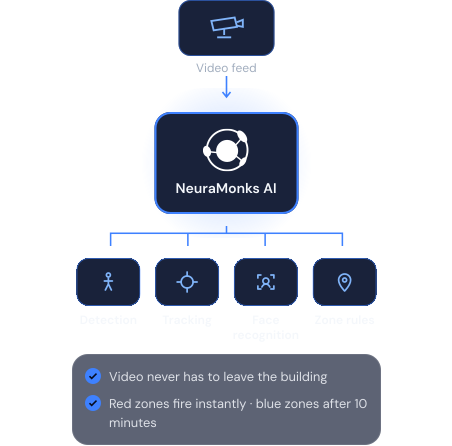
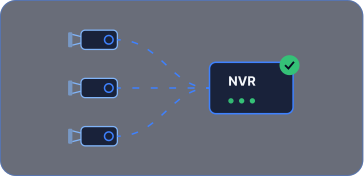
Your Cameras Stay As They Are

‍

We read the streams from your existing NVR. No rewiring, no new hardware for your team to learn.
  1. Nothing Gets Replaced
  • 2
  • Step 2

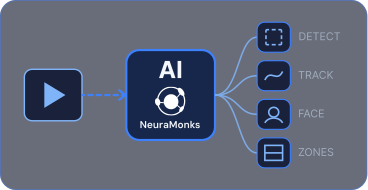
AI Watches Every Frame

‍

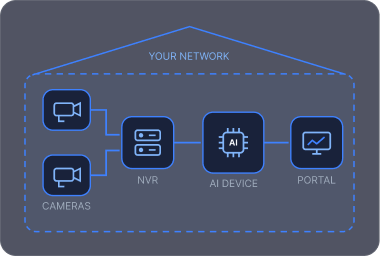
An on-site device handles detection, tracking, face recognition and zone rules. Video never has to leave the building.
  1. Runs Fully On-Site
  • 3
  • Step 3

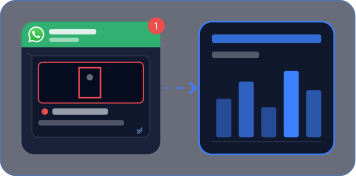
The Portal Does The Talking

‍

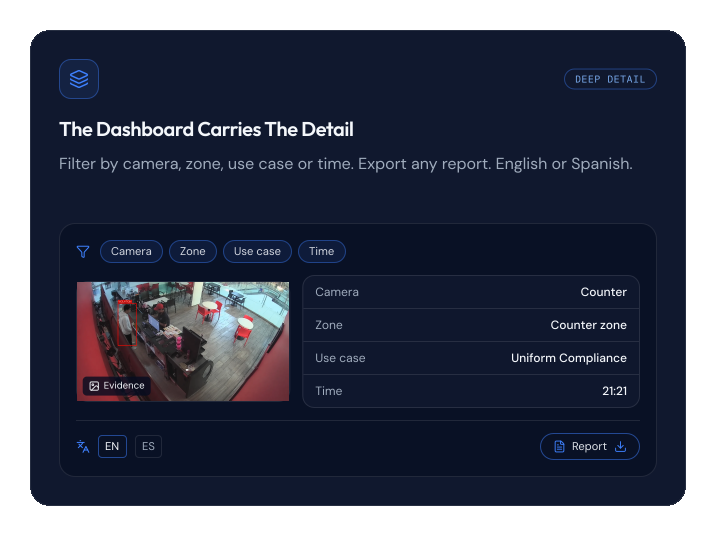
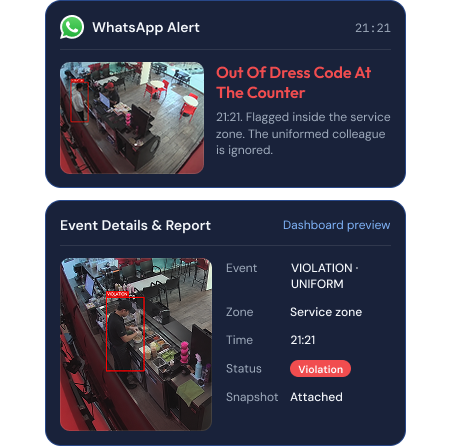
Alerts reach WhatsApp in seconds with a snapshot attached. Dashboards and reports hold the detail.
  1. Evidence, Not Guesswork
DEPLOYMENT

Built The Way Your Site Needs It

  • 01
  • Fully On-Premise
‍

Everything inside your own network. Nothing leaves the building. The default for vaults and production floors.
  • 02
  • Edge + Cloud
‍

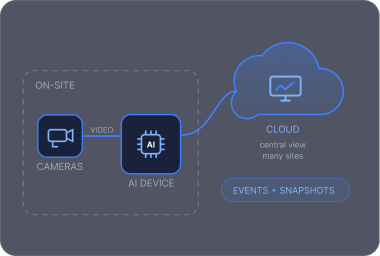
Video is processed on site; only events and snapshots sync up. Low bandwidth, central view across many sites.
  • 03
  • Managed Cloud
‍

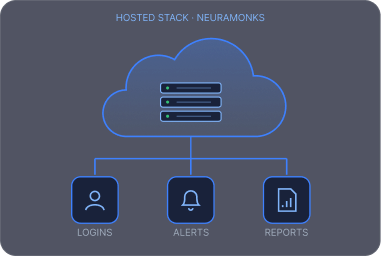
We host and run the whole stack. You get logins, alerts and reports; we handle the rest.
ARCHITECTURE

One Structure, Any Scale

  • 01
  • Universe

Your whole estate

  • 02
  • Group

Region or owner

  • 03
  • Site

Store or factory unit

  • 04
  • Camera

Feed with its zones
  • Configured To Your Floor
  • Any use case on any zone, per-site shift windows, alert routing by role, and the whole interface in English or Spanish.
  • Operated, Not Just Installed
  • Device health alerts, over-the-air updates, a full audit log, and role-based access, all managed by us after go-live.
USE CASE 01 · CAFÉ & RETAIL

Café & Retail Monitoring

It answers what an owner cannot be there to ask: did we open on time, is the floor being run properly, and is the store really empty when it is locked?
WHAT THE SYSTEM DETECTS
  • 01
  • Mobile Usage
  • Handset in a work zone
‍
  • 02
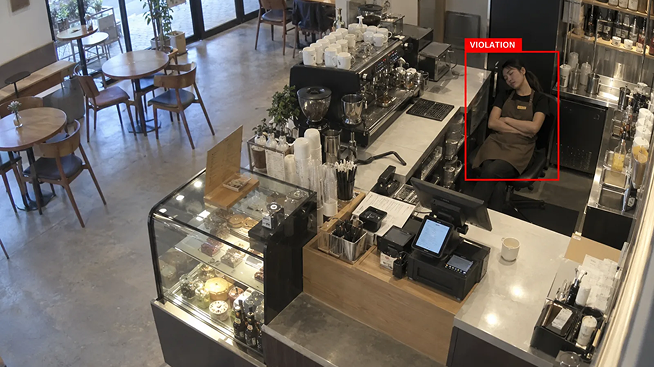
  • Sleeping
  • Motionless past a threshold
‍
  • 03
  • Intimacy
  • Inappropriate conduct
‍
  • 04
  • After-Hours Intrusion
  • Anyone in, out of hours
‍
  • 05
  • Staff Entry By Face
  • Arrival marked automatically
‍
  • 06
  • Store-Empty Check
  • Floor clear at closing
‍
  • 07
  • Open & Close Timing
  • First entry, final lock-up
‍
  • 08
  • Uniform Compliance
  • On the floor, out of code
‍
  • 09
  • Face Mask
  • Hygiene in food areas
‍
  • 10
  • Door Activity
  • Customer entry patterns
‍
  • 11
  • Restricted Zones
  • Counter, safe, stockroom
  • 12
  • Dwell Rules
  • Your own time limits
‍
FROM THE LIVE SYSTEM

Every Alert Arrives With Its Evidence

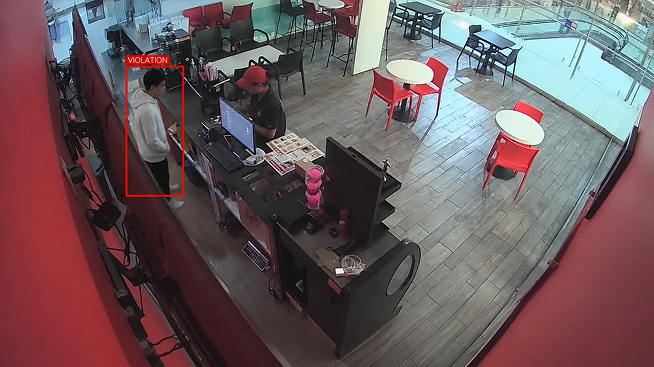
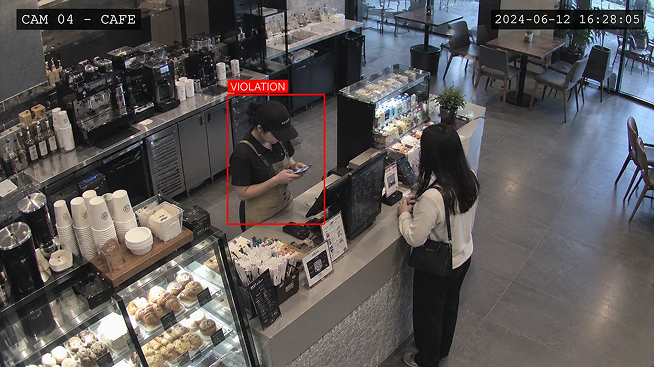
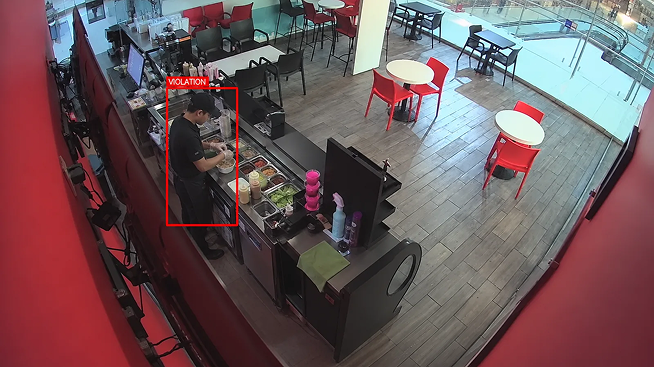
Real detections from deployed cameras. The overlay shows the zone and the person at the moment the rule broke, so a manager decides in seconds.
  • VIOLATION · UNIFORM
  • Out Of Dress Code At The Counter
  • 21:21. Flagged inside the service zone. The uniformed colleague is ignored.
‍
  • VIOLATION · FACE MASK
  • Food Prep Without A Mask
  • 14:21. Hygiene breach logged into the store's daily compliance record.
  • BEHAVIOUR · MOBILE USAGE
  • Handset In The Kitchen Zone
  • The whole kitchen is a monitored zone. Phone use on shift is counted.
  • BEHAVIOUR · SLEEPING
  • Seated And Inactive On Shift
  • 17:17. Rear kitchen, no customer visibility, no supervision.
REPORTING

Nine Reports. Three Audiences.

Store
Store · Daily
Openings, violations, closing
Store · Weekly
Trends and repeat offences
Store · Monthly
Compliance score
Group
Group · Daily
Multi-store snapshot
Group · Monthly
Store-by-store ranking
Ops
Ops · Daily
Device health, open alerts
Ops · Weekly
Accuracy and feedback
Ops · Monthly
Fleet performance
Live Alerts
Instant, routed
by role
Manager
✓
Ops
✓
Owner
✓
USE CASE 02 · DIAMOND MANUFACTURING

Diamond Manufacturing & Production Floors

Not what happened, but how the day was actually spent. Each person is tracked across their department's cameras and the shift resolved into three states.
Working

At their position and engaged. Time counts toward output.

Non-Working

In the zone but idle, on a handset or turned away from the work surface.

Away

Outside the work area, measured against the shift so breaks read as breaks.

EXCEPTIONS RAISED AUTOMATICALLY
  • Arrived Late
  • Three days running. A pattern, not a one-off
  • Away Time Rising
  • Up 40% on their own previous week
  • Worked 12h+
  • Overwork caught before it becomes an issue
  • Below 6 Hours
  • Short shifts, by name and department

Why Teams Choose Neuramonks

Your Video Never Has To Leave

The whole stack can run on hardware inside your premises. For vaults and production floors that is not a preference, it is the requirement.

Customised To Your Floor

Zones, thresholds, shift windows and report formats are set to how your site actually runs, not a fixed template.

Built For Real Conditions

Fisheye lenses, poor light, night footage, overlapping people. Calibrated on live site footage, not clean datasets.

Two Industries In Production

Cafés and diamond units are running today. The engine transfers to any floor where people, zones and time matter.

How We Engage

  • Pilot on one site, a limited camera set
  • Calibrated on your footage, not a demo reel
  • Scale camera by camera, site by site
  • Training and ongoing tuning included

What You Own

  • Your footage, on your own infrastructure
  • Every event, report and export
  • Configuration you can change anytime
  • No lock-in on data formats

A Pilot Runs In Four Weeks

01

Week 1: Survey

Camera audit and zone mapping.

02

Week 2: Live

Device installed, first alerts flowing.

03

Week 3: Tuning

Thresholds refined on your feedback.

04

Week 4: Decision

Real numbers from your own floor.

Questions Before You Put AI On Your Cameras

Clear answers about cameras, privacy, alerts, deployment and how we validate the system on your own site.

Do we need to replace our existing cameras or NVR?

No. Our AI Video Analytics solution connects to compatible existing CCTV cameras and NVRs through CCTV Integration and Video Surveillance Integration, without requiring camera replacement.

Does our video have to leave the building?

No. Our AI Video Surveillance supports on-premise, edge-plus-cloud and managed-cloud deployment. These artificial intelligence video surveillance architectures can process footage locally, depending on your security requirements.

What can the AI actually detect?

Our CCTV Video Analytics and AI-Powered Video Analytics can detect mobile usage, inactivity, uniform violations, restricted-zone entry and intrusion. Capabilities also include Computer Vision Video Analytics, AI-Based Object Detection and Face Recognition Using CCTV.

 How do Red Zones and Blue Zones work?

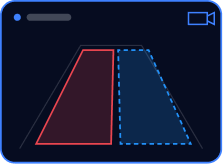
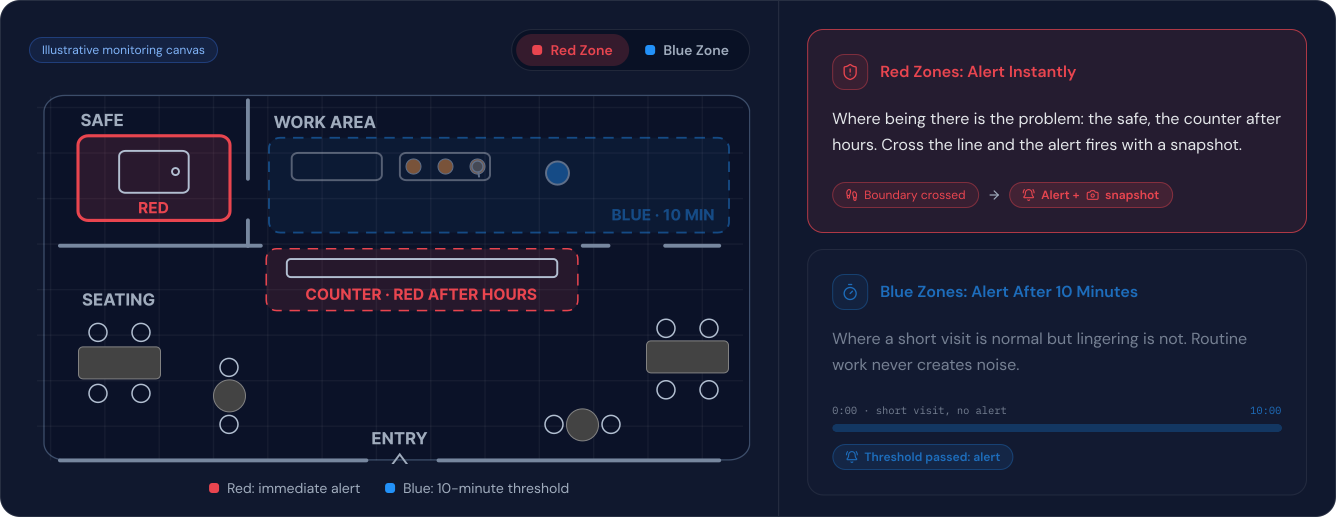
Red Zones trigger immediate alerts, while Blue Zones trigger alerts when configured activity continues for 10 minutes. The Blue Zone threshold can be customised for each site's requirements.

How are alerts delivered to the right person?

Our AI Video Monitoring and AI CCTV Monitoring deliver real-time WhatsApp alerts with event snapshots. Notifications can be routed to managers, operations teams or business owners by role.

Can access, zones, shifts and alert rules be different for each site?

Yes. Our AI-Powered Surveillance Systems support site-specific camera access, detection zones, shifts, alert thresholds and notification rules across multiple locations.

What reporting does the system provide?

The system provides daily, weekly and monthly reports for stores, groups and operations teams, including Employee Activity Monitoring with Working, Non-Working and Away classifications.

How long does it take to validate the solution on our site?

Our typical pilot takes four weeks: site survey in Week 1, installation in Week 2, model tuning in Week 3 and performance review in Week 4.

Can AI video analytics be customised for retail and manufacturing?

Yes. Video Analytics for Retail and Video Analytics for Manufacturing can be tailored using Computer Vision for Retail and Computer Vision for Manufacturing to address industry-specific requirements.

Do you train custom AI models for our business requirements?

Yes. Our AI Model Training Services and Computer Vision Model Training are tailored to your requirements and calibrated using actual site footage.

Can the AI work with poor lighting, fisheye cameras or overlapping people?

Yes. We develop and calibrate custom AI models for real-world camera conditions, including poor lighting, fisheye views and overlapping people.

Who owns our video footage, events and reports?

Your footage can remain on your own infrastructure. You retain access to your event records, reports and exports without lock-in on data formats.

Can the solution scale across multiple cameras and locations?

Yes. Start with a limited camera pilot and expand camera by camera and site by site, with custom AI configurations for each location.

Tell Us What Your Cameras Should Be Catching.

Send us your camera list and we will map the use cases onto it, then demo on your own site type.
GET IN TOUCH