
Your Floor Plans Hold The Data. Nobody Is Reading It.

Our AI Reads Every Line
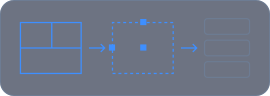
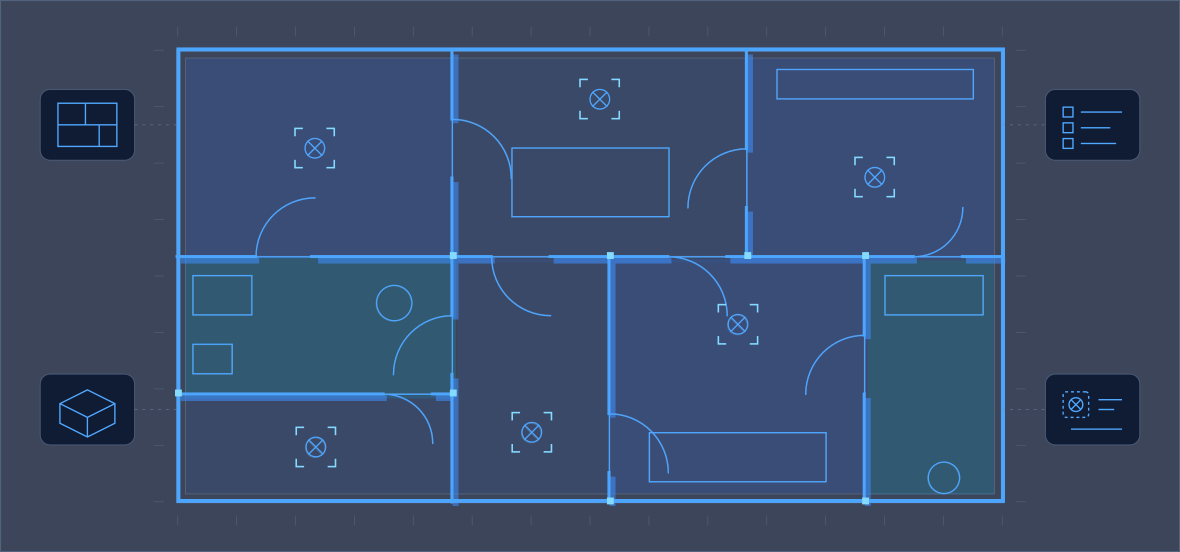
We turn floor plan images into structured data: rooms, walls, dimensions, fixtures and symbols. From there, editable CAD, 3D, material estimates, search and symbol counts.
Get In Touch
Svg IconSvg IconSvg IconSvg Icon
A PLAN IS STILL JUST A PICTURE
Every renovation, estimate and listing starts with a floor plan. Yet teams still redraw it, measure it and count it by hand, every single time.
What You Have Today
  • A PDF or image of the plan
  • A drafter to redraw it in CAD
  • An estimator with a scale and a calculator

‍

What It Costs You
  • Hours or days per quotation
  • Light fittings counted one by one
  • Listings you cannot search by layout
  • USE CASE 01 · 02
  • Renovation & Estimation
  • Plan to editable DWG and 3D. Bathroom surfaces to square metres and a material list.
‍
  • USE CASE 03 · 04
  • Real Estate & Electrical
  • Search listings by layout. Identify and count every electrical symbol on the plan.
‍
THE PLATFORM

How It Works: Simple As 1-2-3

  • 1
  • Upload The Plan
  • Image, PDF or scan: the plans your customers and architects already send you.
  • Nothing To Redraw
  • 2
  • AI Reads Every Element
  • Rooms, walls, openings, dimensions, fixtures and symbols, each identified and located.
  • Structured, Not Tagged
  • 3
  • Get The Output You Need
‍
  • Editable CAD, a 3D model, a material estimate, searchable data or a symbol count.
  • In Minutes, Not Days
WHAT THE AI EXTRACTS

Rooms

Type, label and boundary

Walls

Position and length

Doors & Windows

Openings and swings

Dimensions

Lengths and scale

Areas

Square metres per surface

Fixtures

Sanitary and fittings

Electrical Symbols

Lights, points, switches

Layout Attributes

BHK, bathrooms, rooms

BUILT ON OPEN SOURCE

Our Model. Your IP.

Open-Source Core

Our own floor plan ML plus open-source vision-language models. No third-party AI APIs.
  • Owned, Not Rented
  • No per-call fees to an outside vendor. The solution can become your own IP.
  • Customised To You
  • Tuned to your plan styles, symbols, room names and output formats.
DELIVERED USE CASES

Renovation & Material Estimation

Two jobs that start with redrawing and measuring a plan by hand. Both now start with an upload.
USE CASE 01

Plan To Editable CAD And 3D

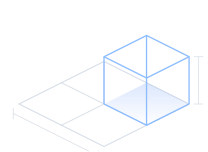
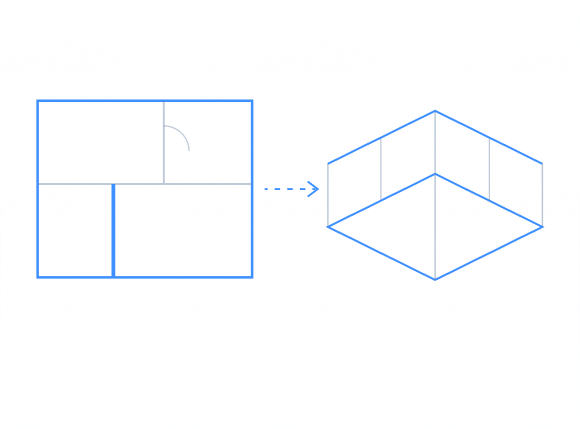
For the renovation industry. The uploaded plan becomes an editable DWG. The customer's changes are applied, the system updates, and a 3D model is generated from the result.
  • 01
  • Upload
  • Existing plan
  • 02
  • Editable DWG
  • Generated
  • 03
  • Customer Edits
  • Applied
  • 04
  • 3D Model
  • From the plan
USE CASE 02

Plan To Material Estimate

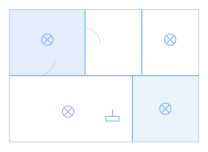
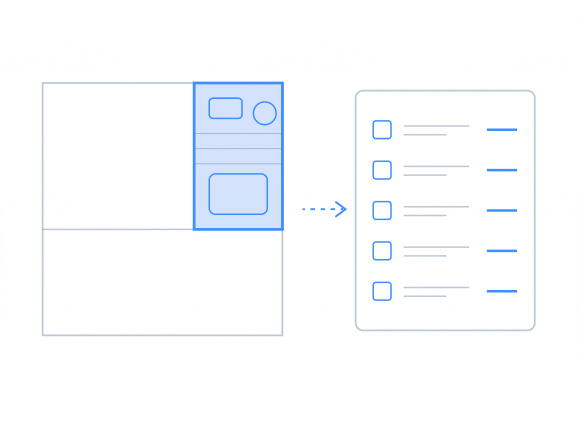
For vendors quoting materials. The AI reads each room, for example a bathroom, and calculates the square metres of tile for every wall and floor, then builds the material list.
  • 01
  • Upload
  • Floor plan
  • 02
  • Editable DWG
  • e.g. bathroom
  • 03
  • Customer Edits
  • Walls and floor, m²
  • 04
  • 3D Model
  • Ready to quote
  • Before: Hours Or Days
  • Manual take-off from the drawing, room by room, with every measurement checked by hand.
  • Now: Within Minutes
  • The same estimate generated from the uploaded plan, ready for the estimator to review.
  • The Estimator Stays In Control
  • Every quantity can be reviewed and adjusted before the quote goes out.
  • One Plan, Many Outputs
  • The same analysis feeds the CAD file, the 3D model and the estimate.
DELIVERED USE CASES

Real Estate Search & Electrical Take-Off

The plan stops being an attachment. It becomes data you can search and count.
USE CASE 03

Search Properties By Layout

On a real estate platform, every uploaded plan is analysed and each area identified. Buyers search by what the plan actually shows, not by tags or free-text descriptions.
"2 BHK with 3 bathrooms”
  • Bedrooms · 2
  • Bathrooms · 3
  • Kitchen · 1
  • Living · 1
  • Balcony · 1
USE CASE 04

Electrical Symbol Counting

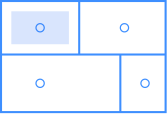
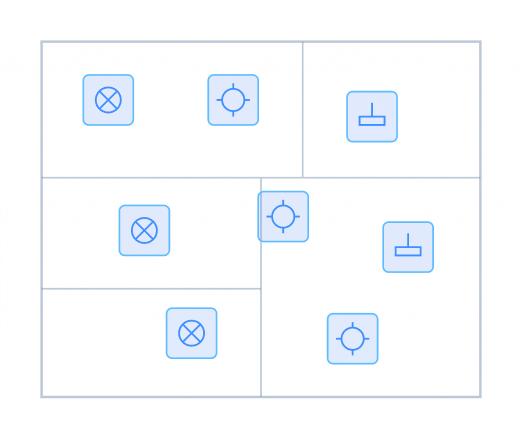
Electrical plans carry dozens of symbols. The AI identifies each light type and counts how many of each the property needs, the count your team does manually today.
  • 01
  • Upload
  • Electrical plan
  • 02
  • Symbols Found
  • Every fitting
  • 03
  • Types Grouped
  • Light by light
  • 04
  • Quantities
  • Per type
  • Before: Counted By Hand
  • Someone marks each symbol on the drawing. Slow, and one missed light changes the order.
  • Now: Counted In Minutes
  • Every symbol located, typed and totalled from the uploaded plan.
  • Search That Understands Layout
  • Buyers filter by rooms that exist on the plan, not by what someone remembered to type.
  • Your Symbol Legend
  • Tuned to the symbols your consultants use, so the count matches your drawings.

Why Teams Choose Neuramonks

Open Source, Your IP

Built on our own floor plan ML and open-source vision-language models. No third-party AI dependency, no outside per-call fees.
  • Your Plans Stay In-House
  • The full stack can run on your own servers. Drawings never have to leave your network.
  • Any Plan, Any Output
  • If a floor plan holds the information, we can extract it and shape the output to your workflow.
  • Four Use Cases Delivered
  • Renovation, estimation, real estate search and electrical take-off, already built.

How We Engage

  • Start with a sample of your real plans
  • Tuned to your symbols and room names
  • Output in the format your team uses
  • Integrated into your system or portal

‍

What You Own

  • The deployed models and pipeline
  • Every extracted result and export
  • Your plans, on your infrastructure
  • No lock-in to an outside AI vendor

‍

From Sample Plans To Live: Four Steps

  • 1. Share
    • Sample plans and the output you need.
  • 2. Tune
    • Models fitted to your plan styles.
  • 3. Validate
    • Results checked against your team.
  • 4. Integrate
    • Live inside your workflow.

Questions Before Your Floor Plans Become Data

Electrical plans carry dozens of symbols. The AI identifies each light type and counts how many of each the property needs, the count your team does manually today.

What types of floor plans can the AI process?

The solution is designed to work with supported floor-plan images, PDFs and scans. Actual performance depends on image quality, resolution, drawing conventions and the information available in the source. Confirm the supported file formats and minimum quality requirements with the product team.

What information can AI extract from a floor plan?

Depending on the configured model and drawing, the system can identify information such as rooms, walls, doors, windows, dimensions, surface areas, fixtures, electrical symbols and layout attributes. Not every element will necessarily be detectable in every drawing.

What outputs can the solution generate?

Configured workflows may generate structured data for CAD and 3D workflows, material estimates, electrical quantity take-offs and property-layout search. Confirm supported export formats and output requirements for each use case.

Can a floor plan be converted into editable CAD and 3D?

The page describes a workflow for converting supported floor plans into editable DWG files and generating a 3D model. Explain the required input, supported CAD format, editing workflow and validation process based on the actual implementation.

Can AI calculate material quantities and count electrical symbols?

The intended workflows include surface-area calculations for material estimation and detection or counting of electrical symbols.

Do floor plans need to leave our network?

The page describes an on-premise deployment option. Confirm which components can run on the customer's infrastructure, whether any external services or telemetry are involved, and what data flows apply to the selected architecture.

Does the solution depend on an external AI provider?

The page states that the core solution uses NeuraMonks' floor-plan ML and open-source vision-language models. Document any exceptions, external infrastructure dependencies, licensing considerations and optional third-party integrations.

How can we get started with our own floor plans?

Share representative sample drawings and describe your required output. NeuraMonks can assess the use case, establish an agreed validation process, identify integration requirements and determine the appropriate implementation approach.